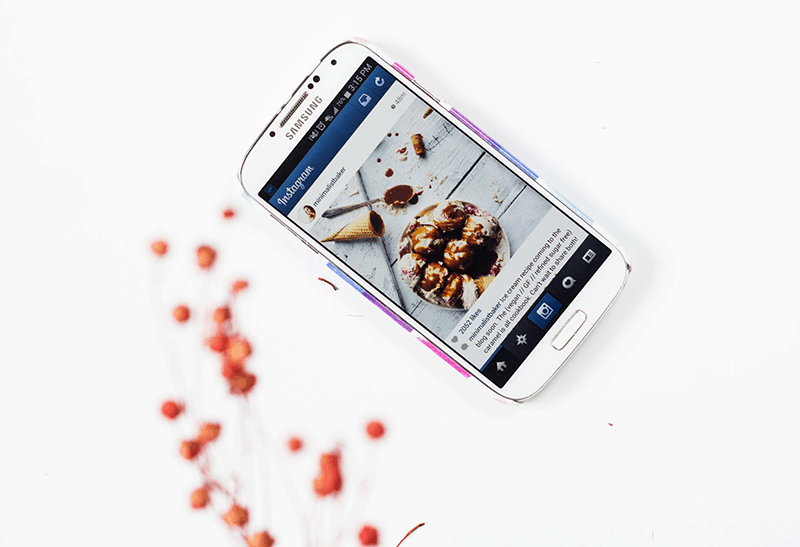





It is no surprise that Instagram is one of the top social media choices for bloggers and small business owners. Instagram provides a visual showcase for your brand and a platform to interact with like-minded creatives and potential customers who may be interested in your products and services.
The key to a growing audience on Instagram is attractive, high quality photos. And hey! You don’t need to spend a fortune for that. Smart phone cameras coupled with awesome photography apps make it possible to capture brilliant photos on the go without the hassle of bulky photography equipment and complicated editing processes.
Here are 5 apps to get your photos ready for Instagram in 1,2,3!
Hint hint: Wanna learn how to grow your Instagram followers with purpose?
Download my snazzy, FREE workbook and I’ll share my growth tracker, inspiring prompts to get ya thinking about your Insta’s vision and purpose, and strategies on finding better, killer hashtags. You know you want it. 🙂 Click the link below to grab the workbook!

Camera+ – $1.99
If the built-in camera app of your smart phone is just not cutting it for you anymore, Camera+ is the way to go. It has stellar manual controls for ISO, shutter speed, white balance, digital zoom and more, which will instantly add DSLR capabilities to your phone camera. It also has a separate focus and exposure lock that lets you set the focus on one part of the scene and the exposure on an other, thereby giving you ultimate control over how light or dark your photos come out.
Related: The Best Hashtags to Get Your Instagram Noticed + Shared
Snapseed – Free
This is an extremely powerful photo editing app that is free for download in the app store. It has real-time sliders, which makes the app super easy to use for basic editing i.e exposure, brightness, contrast etc. Snapseed’s biggest strength has to be its selective adjustment feature which lets you apply different edits to individual parts of the photo, enabling you to edit the photo to perfection.
VSCOCam – Free
This is one of the most popular photo editing apps out there, and with its clean and user-friendly interface, it’s not difficult to see why. The various adjustment tools of the app are super easy to use and help to take your photos to the next level. It has amazing, innovative presets/filters that can transform your pictures instantly. I personally love the T1 filter which adds a faded effect to photos.
Related: 11 Surefire Ways to Grow Your Instagram
Afterlight – $0.99
With a simple and straight-forward design, powerful adjustment tools and a huge library of filters, this has to be one of the best photo editing apps for phone photography. I love the cropping presets of the app that let you crop your photos easily into a circle, square, heart etc.
Related: The Best Photography Equipment for Blogging
Squareready – Free
Instagram uses an aspect ratio of 1:1 for all its photos. This can be difficult if cropping your photo into a square is not an option (for example, if you want to keep your photo horizontal or vertical). Squareready comes to the rescue, as it provides a fuss-free way of posting entire photos to Instagram without having to crop them. Bonus: @melyssa_griffin uses this app to add a white border around our photos, allowing our feed to feel more bright and clean.
What are your top photo editing apps for Instagram?
Pssst: Are you following me on Instagram? >>



I love VSCOcam, I’ll have to try the others 🙂
xo, Liz
http://lipstickandconfetti.com
Hi Liz, VSCO is awesome. What are your favorite filters? x
Hey Chaitra, it varies all the time! M5 or T1 are probably my most used ones though. What about you?
Thanks Chaitra! I just downloaded VSCOcam and Snapseed. I’ve really slacked on IG because I’m not great at photos but hopefully these will help.
So welcome Ashley 🙂 I am sure these awesome apps will be helpful .. let us know xx
All great apps! I especially love Afterlight. Have you tried the A Beautiful Mess app? It’s also one of my favorites and has super cute doodles + phrases that you can add to the photos!
xoxo
Allison
http://www.wonderlass.com
Hi Allison 🙂 I have heard about the ABM app, but I am yet to try it. I ll definitely be checking it out soon xx
Thanks so much for this! I always wonder why my photos don’t look as great as they should! I hadn’t heard of a few of them and I will definitely be downloading today!
xo Rachel
Editing makes a world of difference to the photos Rachel, hope these apps help 🙂 xx
This is the perfect post for me! I was just wondering about good photo editing apps for my Instagram photos the other day!
Kristi | http://www.beloverly.com
Hi Kristi, great to hear that! Let us know your favorites x
How have I not heard of Camera+? Downloading it now! My favorite photo editing app right now is Aviary, because it has a filter that I absolutely love! Also, you can remove blemishes, which I actually use to clean up my dog if she has eye goop that I missed before snapping a cute photo. I believe the app is free and comes with a variety of free filters, but you can also buy different packages. They’re not too expensive. I loved using the winter set during the winter months and my favorite app is part of one of the paid for filter sets.
Hi Crystal, thanks a lot for the recommendation 🙂 I ‘ll definitely be checking out Aviary, sounds like a great app! What is the name of your favorite filter, I am curious ? 😉 x
Great post! I adore VSCOCam and love their in-app photo taking function. I think it does a better job with taking the “raw” photo than the native iOS camera app. My favorite app for filters is Pic-Tap-Go (from the same people who do Totally Rad Presets) – it’s freaking amazing.
I just wrote up a blog post on how I use these two apps together:
The Last Two iOS Photo Apps You’ll Ever Need
— Gillian
Thank you Gillian 🙂 Thanks for recommending pictapgo – its an amazing app – I just checked it out! x
I love using fun add-on apps like Studio & Rhonna Designs to add words, typography, and graphics to my photos. Super cute apps with lots of options!
Awesome, I ll check them out. Thanks 🙂 xx
I wondered what app Melyssa used for her white borders!! I use Faded.
Oh – and my top apps for editing are Pic Tap Go and Vintique.
I ve heard so much about PicTapGo – its amazing! x
I love VSCOcam and Priime. Priime had well-known photographers design their filters and the pictures I’ve edited with that app have come out beautiful!
I use both of those too! I always go into Priime first to brighten up the photo, then it’s usually off to VSCO Cam for some more subtle adjustments with color and such.
Wow, never heard of priime, will be trying that soon 🙂 Thanks so much! xx
I all of these expect for snapped. I’m going to have to give in and try it out but Pic Tap Go is an awesome. Made by Totally Rad!
I just tried pic tap go and its amazing. I am hooked now 🙂 x
I love VSCO! It makes the editing process go so much better!
I agree, I love all their presets and adjustment tools a lot 🙂 xx
I’ve heard of VSCOCAM before. A blogger friend of mine loves to use it. But I’m currently using Camera360 because of the selfie mode. haha!
Stay Wonderful Always,
Heide
Kintsugi of Life
I’m intrigued – what is this selfie mode? Haha!
Oh it’s a mode for Camera360 that instantly edits your face while taking selfies. It clears up pimples and dark spots like a smoothing effect.
Ooh, selfie mode really sounds interesting 🙂 x
I use VSCOcam and Afterlight! I’m interested to try Camera+ too!
– Lauren Schroer // http://www.laurenschroer.com
Camera+ is an amazing app and amplifies the capabilities of your phone camera 🙂 Hope you like it lauren! x
I use VSCO to 🙂
Its wonderful! x
I love using NoCrop because I can take pictures without worrying about that ratio!
Ah thanks for sharing about nocrop 🙂 xx
Ohhh I’ve been using the Photoshop Express app for most of my gramming (with the occasional VSCO), but I’m keen to try these gems 🙂
I have photoshop express too and its a great app! Let us know if you try any of these ! xx
I have all these apps on my phone. VSCO is a must. I love it
I completely agree Alissa 🙂 Its an amazing app. What are your favorite presets in VSCO? x
Thank you for this, my pictures never fit the square on instagram so this will come in very handy!!
Laura | Loved By Laura
Glad it helped, Laura! 🙂
I use Afterlight to do all of my adjustments, occasionally VSCO for the filters and then Squareready to add my border. Snapseed is great if you want to lighten up one specific area and not the whole photo isn’t it?
Sophie | http://www.dreamsandcolourschemes.com
You are a total pro, Sophie! Love it!
Thanks for this. I’m happy that I found your amazing site… There’s a lot of useful and helpful tips for my blog.
Arbie | http://www.arbielaoque.com
That’s great, Arbie! Very glad to help. 🙂
Squareready is only for iPhones! 🙁 Any comparable Android version?
Ahh shoot! I don’t have an Android, but maybe @PinkPot7:disqus knows 🙂
Maybe it’s late now,but I recommend Instasquare 🙂
mypastel-world.blogspot.com
Oh cool to try out! Thanks for sharing! <3
So glad you found this helpful. Thanks for reading! 🙂
Afterlight and VSCO are my favs. And, PSA: you can use Afterlight for white borders! No need for Squareready!
VSCOCam is by far my fav 🙂
Yeah I love VSCO, Lucie 🙂
Adding on to the list: Cymera and Fotor! I’m really curious about this VSCOCam and Afterlight though. Might have to add it to the ‘tool box’. Thanks for the list!
Thanks for sharing more suggestions! And I think you’ll really like VSCO and Afterlight 🙂
I only use VSCO and now have a lot more options thanks to this post! The users who commented in this post also shared their fave apps so I was able to download those as well. 🙂
Yay! I’m so glad you found this post and the comments helpful, Kim 🙂
I had never even heard of VSCO! I downloaded it right away (Android). I only use Afterlight occasionally and have the feeling that there’s a trend towards less edited photos. Or perhaps less obvious edited photos. Thanks for this article!
VSCO is great and I’m excited for you to try it out! Best of luck to you, Emmelyn 🙂
I use a color story and love it
Ooo that sounds beautiful! Keep up the great work, Randa. 😀
Snapseed and Squareready are awesome! I use them for my own images if I’m posting directly from my cell phone. A lot of the time, though, I prefer posting from my iPad since I have an easier time typing out the caption. lol
Awesome! Thanks for the tips, Lisa. 🙂
it’s cool…!!!
here is some Best Insta Captions for Perfect Instagram Post